








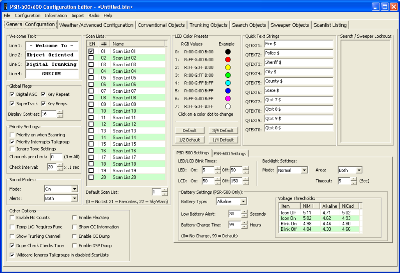
- GRE PSR-500
- GRE PSR-600
- GRE PSR-500c
- GRE PSR-600c
- Radio Shack PRO-106
- Radio Shack PRO-197
- Radio Shack PRO-651
- Radio Shack PRO-652
- Whistler WS1040
- Whistler WS1065
Latest Software Updates:
PSREdit500 Version 1.93 Release 20 (Released June 18, 2022)
- Fixed an issue with importing unsupported conventional frequencies. Frequencies with a mode that is not supported by the scanner will no longer be available for import.
- This version and all versions of PSREdit500 and PSRCtrl500 going forward will be digitally signed under the name Michael VanderVeer.
PSREdit500 Version 1.93 Release 19 (Released April 16, 2022)
- Note: Release 18 was not publicly released.
- Fixed an issue with importing the Alabama Interoperable Radio System (AIRS) due to a leading space in the system name in the RadioReference database.
PSREdit500 Version 1.93 Release 17 (Released April 17, 2019)
- Due to changes in the current version of the Whistler USB programming cables,
two default options in the software have been changed. This change will not affect
existing installations but will set these options in new installs. These options are
located in the Serial Port Settings area under the Configuration menu. The settings that
have been changed are as follows:
- Cable access mode has been changed from Direct to COM port by default. The new cables do not use the FTDI chipset so using the Direct access mode is no longer an option with these cables.
- The option to add additional time while uploading a configuration to the scanner has been enabled by default. The current chipset no longer handles an upload at full speed so enabling this option is necessary.
- Updated copyright dates for PSREdit500 and PSRCtrl500.
PSREdit500 Version 1.93 Release 16 (Released July 20, 2018)
- Corrected issue where the items at the bottom of the RadioReference.com conventional
import screen would be covered up by the frequency list if the window was resized.
PSREdit500 Version 1.93 Release 15 (Released January 26, 2018)
- Corrected issue where the import button would not be enabled when conventional
objects are selected on the import from RadioReference.com.
PSREdit500 Version 1.93 Release 14 (Released January 24, 2018)
- Upgraded the RadioReference.com web service to version 15.
- Added options on the trunked system import process to filter and display based on TDMA, Part time encryption, or full time encryption.
- Added column to conventional import to indicate level of encryption being used.
PSREdit500 Version 1.93 Release 13 (Released September 2, 2016)
- Upgraded the RadioReference.com web service to version 13.
- Corrected an issue with the RadioReference.com import when
retrieving information when the cache option is enabled.
- Corrected incorrect error message when a time-out occurred waiting
for a response from the RadioReference.com web service on larger
systems. (Handle not in the right state)
- Increased the default and minimum time-out value for the
RadioReference.com import from 45 seconds to 90 seconds. The
system will not allow a time-out value lower than 90 seconds.
PSREdit500 Version 1.93 Release 12 (Released January 31, 2016)
- Corrected an issue with conventional import from the RadioReference.com web service
when selecting the Statewide option where the incorrect category would be selected.
PSREdit500 Version 1.93 Release 11 (Released January 7, 2016)
- Corrected an issue with conventional import from the RadioReference.com web service when selecting the Nationwide option.
- Updated the copyright dates
PSREdit500 Version 1.93 Release 10 (Released October 15, 2015)
- Corrected an issue with conventional import from the RadioReference.com web
service that was introduced while fixing the issue referenced in the 1.93R9
release notes below. This bug was most visible when attempting to import
Kentucky State Police areas.
PSREdit500 Version 1.93 Release 9 (Released September 26, 2015)
- Made modifications to the weather channel attenuation settings box to
allow screen readers to enunciate the frequencies for the checkboxes.
- Corrected an issue with conventional import from the RadioReference.com
web service where a category has multiple sub-categories with the same name.
PSREdit500 Version 1.93 Release 8 (Released March 2, 2015)
- Corrected issue on the trunked system import edit screen where
the "Complete import using these settings" and Cancel
buttons would disappear if the screen was resized vertically.
PSREdit500 Version 1.93 Release 7 (Released January 27, 2015)
- Updated copyright dates.
- When a scanner model is selected and the option to create a new
configuration is used, the correct default values for the signal
strength indicators will be used for that model.
- Added buttons on the advanced options tab to set the default signal
strength values based on the selected scanner model.
PSREdit500 Version 1.93 Release 6 (Released June 24, 2014)
- Added references to the new Whistler and Radio Shack scanner models
supported by PSREdit500. These models include the Whistler WS1040 Handheld,
Whistler WS1065 Base/Mobile, RadioShack PRO-651 Handheld, and
RadioShack PRO-652 Base/Mobile scanners.
- Updated the copyright dates to 2014
- Updated the web site link on the help screen to point to the WhistlerGroup.com web site.
- Added prompt on first run to select the type of scanner being used.
This prompt will set the default welcome message and other parameters used
by that specific scanner model. This option may be changed after the fact
in the configuration area.
PSREdit500 Version 1.93 Release 5 (No Public Release)
PSREdit500 Version 1.93 Release 4 (Released July 29, 2013)
- Added a confirmation message when the import from the
RadioReference.com web service is complete with a count of how
many objects have been imported.
- Fixed issue with the trunked import customization screen where the
data area would not expand with the rest of the window.
- Updated Copyright date to 2013.
PSREdit500 Version 1.93 Release 3 (Released November 7, 2011)
- Corrected an issue with the import of P25 systems where the
RFSS ID of tower sites were not being displayed. This was
caused by a change in the RR Web service where the
RFSS ID was moved from its old location to a new location.
PSREdit500 Version 1.93 Release 2 (Released October 9, 2011)
- Fixed an issue with conventional import from RadioReference.com
where input frequencies would always be imported even though the
option to import them was not selected.
PSREdit500 Version 1.93 Release 1 (Released September 22, 2011)
- Added support for the RadioReference.com Nationwide conventional
frequency listings in the import screen. When selecting a
state/province within a country, look for the "Nationwide"
option to access these agencies.
PSREdit500 Version 1.92 Release 3 (Released September 15, 2011)
- Resolved issue with RadioReference.com web service update causing a
crash when trying to import data.
PSREdit500 Version 1.92 Release 2 (Released August 22, 2011)
- Added option to the conventional RadioReference.com import screen
to allow importing of the input frequencies for repeaters. When
imported, the input frequencies will inherit all properties of the
output frequency except that the lower case letter "i" will
be added to the end of the alpha tag.
- Added brief description of the Import from RadioReference.com function
to the help file. This will be expanded to be more comprehensive as
time permits.
PSREdit500 Version 1.92 Release 1 (Released August 20, 2011)
- Added option to the scan list listing page to allow editing the alert and LED settings for multiple objects.
PSREdit500 Version 1.91 Release 2 (Released August 2, 2011)
- Removed the frequency check when entering the base frequency on
trunking tables. This was necessary to allow entering the correct
tables.
- Added an optional -c command line parameter. This command line parameter
controls the location where PSREdit500 will look for its configuration
data file (PSREdit500.ini). Please see the help file for more details
about this command line switch.
PSREdit500 Version 1.91 Release 1 (Released May 23, 2011)
- Removed support for the RadioReference.com CD-ROM. Production
of the CD-ROM was discontinued some time ago, thus support
has been removed.
- Updated the RadioReference.com web service files to the latest version.
- Fixed the error messages shown when an error occurs while opening a
serial communications port when using direct cable access. It no
longer shows an invalid COM port number.
PSREdit500 Version 1.90 Release 4 (Released January 29, 2011)
- Added support for opening PSREdit310 files and for downloading the
configuration of a PSR-310 or PSR-410 scanner. These configurations
will be automatically converted to the PSREdit500 format.
PSREdit500 Version 1.90 Release 3 (Released January 22, 2011)
- Fixed issue with import from a PSR-300 where the CTCSS and DCS values
were not being properly set.
PSREdit500 Version 1.90 Release 2 (Released January 18, 2011)
- Updated copyright dates to reflect 2011.
- Moved the location of the PSREdit500.ini configuration file. On first
run, the program should locate the current file and copy it to the
new location. This change was necessary to resolve some issues with
Windows User Access Control (UAC).
- Fixed issue with the error message displayed when PSREdit500 cannot
connect to check for updates.
- Fixed issue with the error message displayed when PSREdit500 cannot
connect to the RadioReference.com web service.
- Fixed issue with the display of the Supertrack column in the
conventional listing.
- Fixed issue with importing of ARC500 files where Alpha tags were not
being properly imported.
- Fixed an issue when importing the configuration from a PSR-300 where the talkgroup IDs on Motorola systems were not being set properly.
PSREdit500 Version 1.90 Release 1 (Released June 24, 2010)
- Fixed some minor cosmetic issues on the TSYS edit screen.
- Added check when downloading the configuration from the scanner that
the data is a supported format.
- Added option to the Conventional and Talkgroup pop-up menus to move
the selected objects on those screens to specific sequencial object ID
locations. Objects will be ordered based on the current screen sort.
PSREdit500 Version 1.89 Release 13 (Released May 24, 2010)
- Added a RadioReference.com web service import work around for P25
frequencies that have the NAC string format reversed. Typically NAC
codes in the RadioReference.com database are entered like this:
"466 NAC" however some of the frequencies (specifically Los Angeles
police frequencies) have them entered as "NAC 466". This broke the
decode process in PSREdit500. This version will handle this in either
order.
PSREdit500 Version 1.89 Release 12 (Released April 22, 2010)
- Added the Object ID Field when copying data to the Windows Clipboard
on the Conventional, Talkgroup, and Scanlist listings pages.
- Fixed screen size issues with the various screen layouts.
- Fixed issue where some key clicks were not working properly.
PSREdit500 Version 1.89 Release 11 (Released April 12, 2010)
- Added the ability to move an entry in the trunking table up or down as
needed.
- Fixed issue storing the base frequency for trunking tables in the cache
with the RadioReference.com trunked system import. It is suggested
that you remove the folders for these systems before your next import.
- Fixed a frequency display issue on the trunked system frequency table
editor after a frequency is edited.
PSREdit500 Version 1.89 Release 10 (Released April 5, 2010)
- Fixed issue when importing a P25 trunked system from the
RadioReference.com web service that had trunking tables assigned to it.
(Example: Butler County, Ohio P25 System).
- Fixed issue when reading back the offset value from the cached data
when importing a Motorola or P25 system using the RadioReference.com
trunked import.
PSREdit500 Version 1.89 Release 9 (Released March 31, 2010)
- Turned off a debug mode that was inadvertently left on in Version 1.89 Release 8.
PSREdit500 Version 1.89 Release 8 (Released March 30, 2010)
- Added ability to be able to associate .bin files with PSREdit500 and
have them opened when clicking on those files directly.
- Added option to the configuration screen to set the default scanner
model. This option will allow PSREdit500 to set the correct scanner
options based on the scanner type (i.e. Canadian Band Plan for PSR-500C
and PSR-600C models, correct welcome text for PRO-106/197). This option
defaults to PSR-500/PSR-600.
PSREdit500 Version 1.89 Release 7 (Released March 18, 2010)
- Fixed the Search Object option on the Information menu so that it
will enter the search mode properly.
- Added option to the filter/Search feature to search for conventional
frequencies and/or Talkgroup IDs. When either of these options are
used, the Object type selections at the bottom of the search screen
will be ignored, and only the object types selected will be shown.
(If Conventional frequency search is enabled, Conventional Objects
will be shown, and if Talkgroup Object search is enabled, talkgroups
will be shown). Search and Sweeper/Stalker objects will not be
shown if either of these options are selected.
PSREdit500 Version 1.89 Release 6 (Released March 5, 2010)
- Fixed issue where scroll bars would appear when they should not in certain circumstances.
PSREdit500 Version 1.89 Release 5 (Released March 4, 2010)
- Corrected an error where the screen size was not being checked on
program startup to resize the overall program window size to fit
within the screen.
- Resized the RadioReference.com trunked import and conventional import
screens to be a little smaller than they were previously.
- Enabled the auto scroll feature on the RadioReference.com Trunked and
Conventional import screens so that they will allow for scrolling on
displays that will not hold the entire window.
- Resized Conventional import edit screen to fit on smaller displays,
and enabled the auto scroll feature to allow the screen to be used on
displays with resolutions smaller than the screen size.
- Resized Trunked import edit screen to fit on smaller displays,
and enabled the auto scroll feature to allow the screen to be used on
displays with resolutions smaller than the screen size.
- Added pop-up menu to the V-Scanner listing to be able to add the
desired action without having to move to the bottom of the screen.
PSREdit500 Version 1.89 Release 4 (Released February 11, 2010)
- Added an option on the RadioReference.com import screens to use the
description fields as the alpha tag instead of the Display field when
importing from the RadioReference.com web service.
PSREdit500 Version 1.89 Release 3 (Released January 25, 2010)
- Updated copyright date to include 2010 on the about screen.
- Reduced EXE compression to allow for faster load times for the program.
PSREdit500 Version 1.89 Release 2 (Released November 27, 2009)
- Fixed a problem with the RadioReference.com import where importing a
system could cause the program to stop responding and create a very
large system information file when using the data cache feature.
PSREdit500 Version 1.89 Release 1 (Released November 23, 2009)
- PSREdit500 now supports direct access to the GRE or Radio Shack USB
cable. In this mode, there is no need to know the COM port being used
by the cable. Note that to use this feature, you must use version
2.04.16 or above (Version 2.06 recommended) of the USB cable drivers.
- Fixed crash bug when using the Search for Port option on Windows 7.
- PSRCtrl500 also supports direct cable access to the USB cable.